
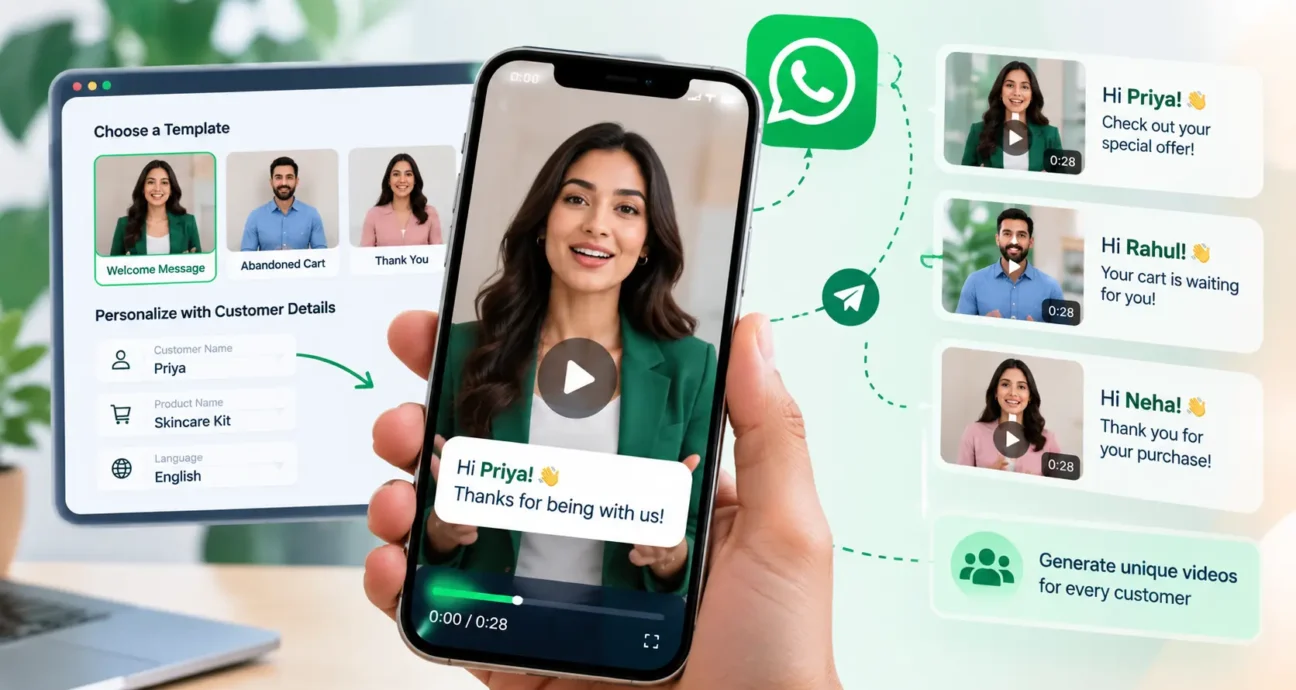
Video marketing helps businesses explain products, welcome customers, share updates, and build stronger relationships. However, producing a separate video for every customer can take considerable time, especially when a business communicates with hundreds or thousands of people.
Personalized AI video marketing offers another approach. Businesses can use AI-powered video creation tools to generate customized messages from reusable templates, digital avatars, and customer information. These videos can then become part of a wider WhatsApp marketing strategy.
With the right workflow, businesses can make their communication more relevant without creating every video manually. WatConnect helps businesses manage WhatsApp marketing, automate customer communication, organize campaigns, and review performance through its messaging and analytics capabilities.
This guide explains how personalized AI videos work, where businesses can use them, how to plan effective campaigns, and what to consider when delivering video messages through WhatsApp.
What Is Personalized AI Video Marketing?
Personalized AI video marketing uses artificial intelligence to create video messages tailored to individual customers or specific audience groups. Instead of recording every message separately, a business can prepare a reusable video template and customize selected details for each recipient.
For example, a standard welcome video might greet a new customer, explain the next steps, and direct them to a relevant resource. With personalization, the greeting or message can reflect the customer’s name, selected product, recent purchase, or stage in the customer journey.
Depending on the video creation tool, personalization may include:
- AI-generated presenters or digital avatars.
- Computer-generated speech and supported language options.
- Reusable templates for different communication scenarios.
- Dynamic text fields populated with customer information.
- Automated video generation for larger campaigns.
The available features depend on the video creation platform being used. Businesses should confirm its supported languages, personalization fields, export options, and integration capabilities before planning a campaign.
The purpose is not simply to add a customer’s name to a video. It is to provide information that feels relevant to that person’s needs while maintaining a consistent brand message.
Why Use Personalized Videos in WhatsApp Marketing?
WhatsApp is an important communication channel for businesses that need to share timely updates, answer questions, and maintain customer relationships. Personalized video messages can add a visual element to these conversations when the content genuinely benefits from a video format.
1. Make Customer Communication More Relevant
A generic message may provide the same information to everyone, even when customers have different needs. Personalized videos allow businesses to adapt greetings, instructions, recommendations, or follow-up messages to a particular audience.
For example, an online store could prepare different messages for first-time buyers and returning customers. Each video would address a relevant situation rather than repeating the same general introduction.
2. Reduce Repetitive Video Production
Recording individual videos for every customer is difficult to maintain as a campaign grows. Reusable templates and automated generation can reduce repeated production work.
Marketing teams can prepare a script, define personalization fields, and use customer data to generate variations. The team can then focus more attention on message quality, audience selection, and campaign performance.
3. Explain Information Visually
Some messages are easier to understand when a presenter explains them. Product instructions, onboarding steps, service demonstrations, and frequently asked questions may benefit from a short video.
However, not every message needs video. Simple order updates, appointment reminders, or brief confirmations may be better delivered as text.
4. Support Customer Engagement
A relevant video can make a message more noticeable and easier to follow. Its effectiveness depends on the audience, subject, timing, creative quality, and clarity of the next step.
Businesses should measure actual results rather than assuming that video automatically produces more engagement or sales.
How to Create Personalized AI Videos for Customers
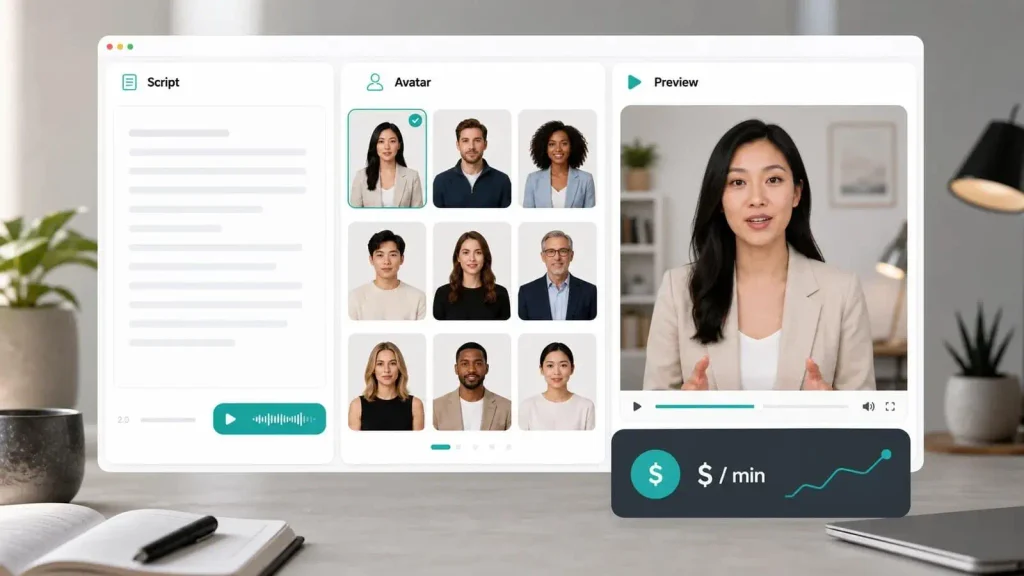
A successful campaign begins with a clear objective and a simple production process. The exact steps depend on the AI video creation tool, but the following workflow provides a practical starting point.
Step 1: Choose a Specific Campaign Goal
Start by deciding what the video should accomplish. A single video should generally focus on one main purpose.
Possible goals include:
- Welcoming new customers.
- Explaining how to use a product.
- Following up after a purchase.
- Reminding shoppers about an unfinished order.
- Requesting customer feedback.
- Helping customers complete an onboarding process.
Defining the goal first makes it easier to write a focused script and select an appropriate call to action.
Step 2: Write a Short, Conversational Script
Write the message as if a helpful team member were speaking directly to a customer. Avoid lengthy introductions, unnecessary promotional language, and complicated sentences.
A simple structure is:
- Open with a relevant greeting.
- Explain why the message matters.
- Share one useful piece of information.
- Give the customer a clear next step.
For example, an abandoned-cart message could remind a customer about the items they selected and explain how to return to the checkout process. It should not create false urgency or claim that an item is reserved unless that is actually true.
Step 3: Select a Suitable Template and Presenter
Choose a video template that fits the campaign’s purpose and visual style. If the tool offers AI avatars, select a presenter whose appearance, voice, and language suit the intended audience.
Keep branding consistent across campaigns, but avoid making every message look identical when the audience or objective is different.
Review the generated video carefully before using it. Check pronunciation, captions, visual quality, and the accuracy of the spoken message.
Step 4: Add Customer-Specific Information
Personalization fields can insert approved customer details into a script or video. These fields might include a first name, product name, appointment date, or another detail relevant to the message.
For example:
Generic version: “Thank you for shopping with us. Here is some information about your purchase.”
Personalized version: “Hi Alex, thank you for ordering your new coffee machine. Here are a few steps to help you get started.”
The second version is more specific, but personalization should remain useful and natural. Avoid using sensitive information or details that could make the recipient uncomfortable.
Before generating videos in bulk, test the template with sample records. Check for missing values, incorrect names, awkward phrasing, and formatting errors.
Step 5: Review and Prepare the Videos for Delivery
Generate a small batch before launching a larger campaign. Confirm that each video matches the correct recipient and that the message contains accurate information.
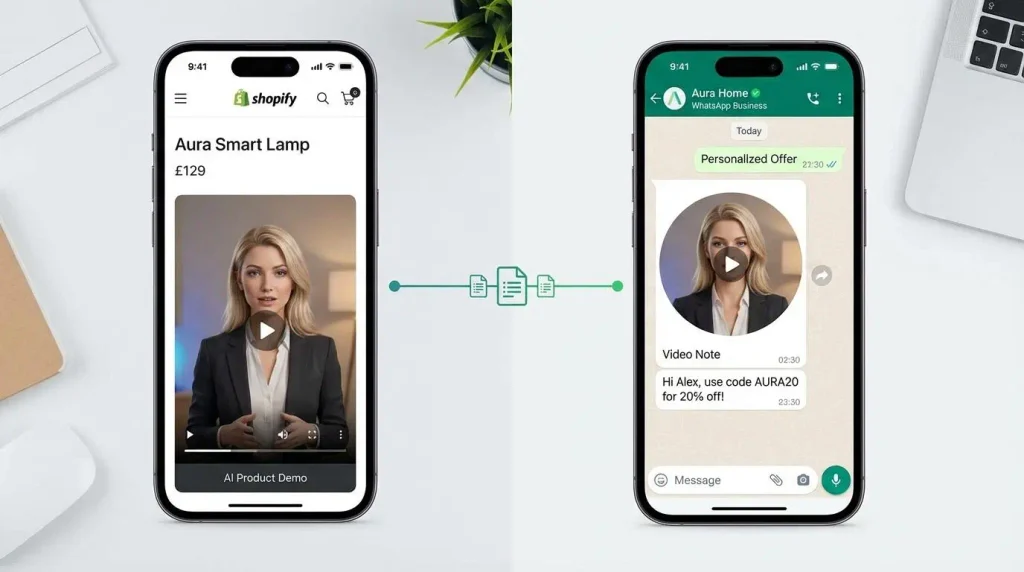
Prepare a concise WhatsApp message to accompany the video. Include enough context for recipients to understand why they are receiving it, and explain what they can do next.
If your workflow involves multiple systems, verify that the video files, recipient records, and delivery process work together correctly. Do not assume that a video creation tool automatically connects to every messaging platform.
Step 6: Send Messages and Measure Results
Use a suitable WhatsApp messaging workflow to distribute the approved campaign to the intended audience. WatConnect offers tools for WhatsApp campaigns, messaging automation, template management, and campaign analytics.
You can learn more about its capabilities on the WatConnect WhatsApp marketing platform.
After sending the campaign, review the available performance data. Identify which messages attracted responses, which calls to action received clicks where measurable, and which customer segments responded most positively.
Practical Use Cases for Personalized AI Videos
Personalized video campaigns work best when they solve a clear communication problem. These examples show how businesses can use them across different customer journeys.
Welcome Messages for New Customers
A welcome video can introduce a business, explain what happens next, and guide new customers toward a useful resource. Personalization can make the introduction feel more relevant without requiring a separate recording for every person.
Keep the message focused on helping the customer rather than immediately pushing another sale.
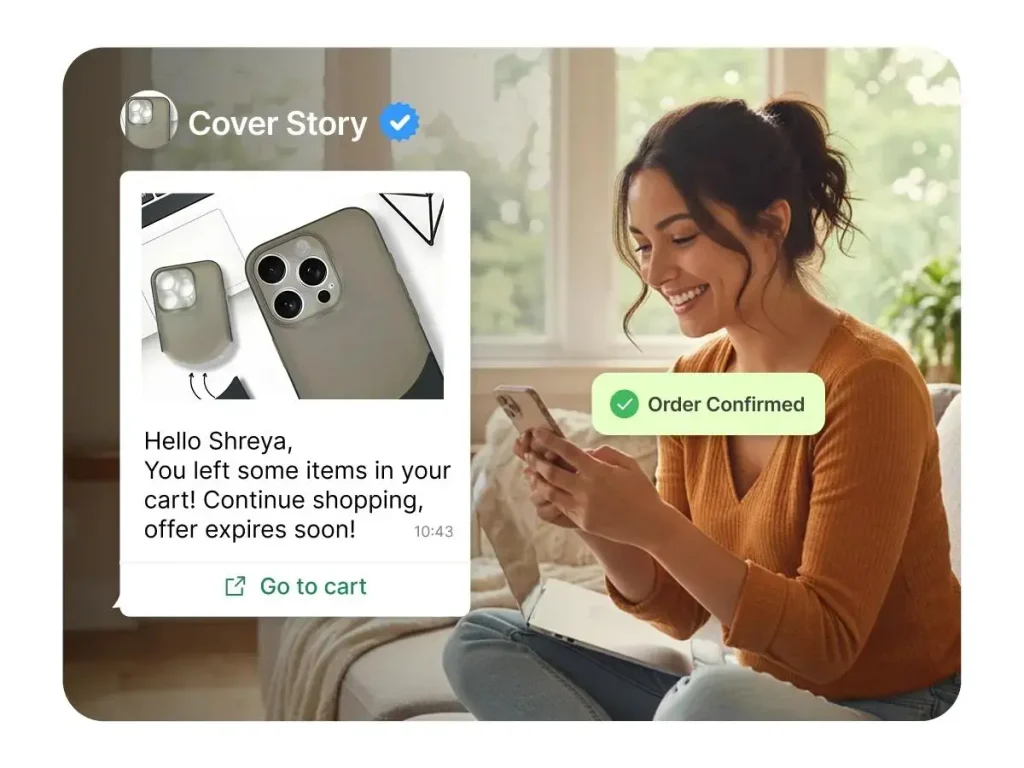
Abandoned Cart Follow-Ups
An online retailer can use a short video to remind shoppers about products they left in their carts. The accompanying message can direct customers to review their selections and continue checkout if they wish.
Make sure the reminder reflects the actual cart status and follows applicable messaging rules. Avoid misleading discounts, artificial deadlines, or repeated reminders that could frustrate customers.
Post-Purchase Thank-You Videos
After a purchase, a personalized video can thank the customer and explain useful next steps, such as product setup, care instructions, or support options.
These messages can help reduce confusion and make post-purchase communication more useful. Where a simple text notification is sufficient, there may be no need to use video.
Product Demonstrations
Businesses selling products with several features or setup requirements can create short demonstrations for different product categories.
For instance, a retailer could share a setup video relevant to the item purchased. This approach helps customers find practical information without searching through lengthy instructions.
Customer Feedback and Review Requests
A brief video can explain why feedback matters and how customers can share their experience. Keep the request neutral and make the process straightforward.
Do not pressure customers to leave positive reviews or offer prohibited incentives. The goal should be to collect honest feedback, not influence its sentiment.
Best Practices for WhatsApp Video Marketing
The quality of the campaign matters as much as the technology used to create it. These practices can help businesses make video messages clearer and more useful.
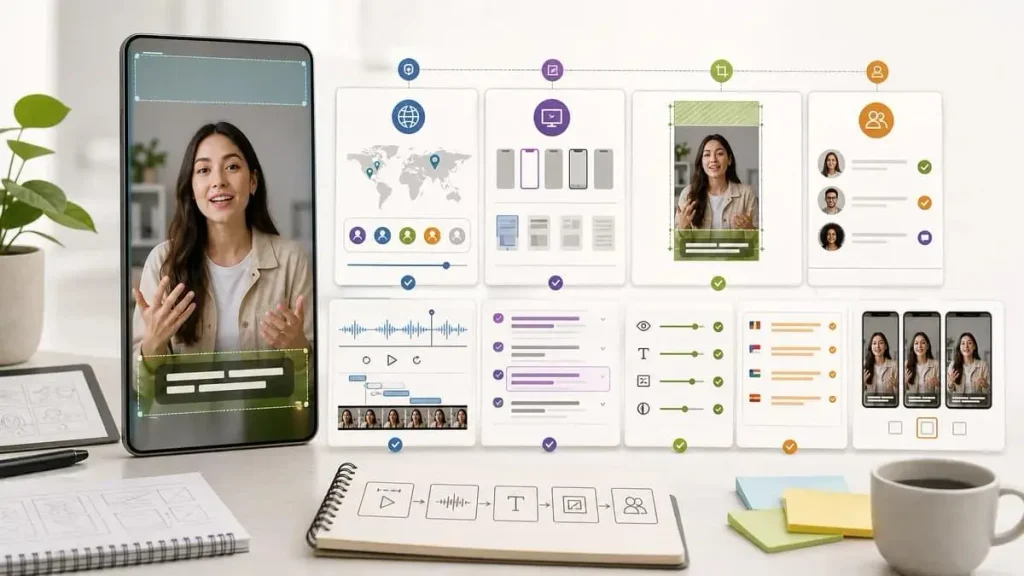
Keep Videos Short and Focused
Start with the essential information. Remove repeated explanations and lengthy introductions. A short message with one clear purpose is generally easier to watch on a mobile device.
There is no single ideal duration for every campaign. Test different lengths based on the complexity of the message and the preferences of your audience.
Use a Clear Call to Action
Every marketing video should make the next step obvious. Depending on the campaign, that might mean viewing a product, completing checkout, reading instructions, replying to a question, or contacting customer support.
Avoid including several competing actions in one short video.
Personalize Beyond the Customer’s Name
A name alone does not make a message genuinely relevant. Consider the customer’s relationship with your business, the product they purchased, or the information they need at that stage.
Use only the data necessary for the campaign, and make sure the information is accurate and appropriately handled.
Make Videos Mobile-Friendly
Use readable captions, clear speech, suitable contrast, and visuals that remain understandable on a small screen. Check that text is not cropped and that important information does not depend entirely on audio.
Test exported files and message delivery before launching a campaign. File-size limits, supported formats, and media requirements should be verified against the current specifications of the services involved.
Respect Customer Preferences
Send marketing messages only in accordance with applicable consent requirements and platform policies. Provide appropriate ways for recipients to manage their communication preferences, and stop marketing messages when a recipient opts out.
Use approved message templates when required, and check the applicable messaging window and template rules before sending business-initiated messages.
Test and Improve Campaigns
Start with a small audience and compare meaningful variations, such as different openings, video lengths, or calls to action.
Track the metrics that match your objective. Delivery, reads, clicks, replies, and completed purchases represent different stages of the customer journey. Use the measurements available in your messaging and analytics tools, and avoid treating one metric as proof of overall campaign success.
How WatConnect Supports WhatsApp Marketing Workflows
Creating a personalized video is only one part of customer communication. Businesses also need a practical way to manage messaging, organize campaigns, respond to customers, and understand results.
WatConnect provides WhatsApp marketing and automation capabilities that can support these wider communication needs.
Its features include:
- Bulk WhatsApp messaging: Manage campaigns for appropriate customer groups using supported messaging templates.
- Message automation: Reduce repetitive communication by setting up workflows for relevant customer actions.
- Template management: Organize and manage message templates used in business communication.
- WhatsApp API integration: Connect supported systems and automate messaging workflows.
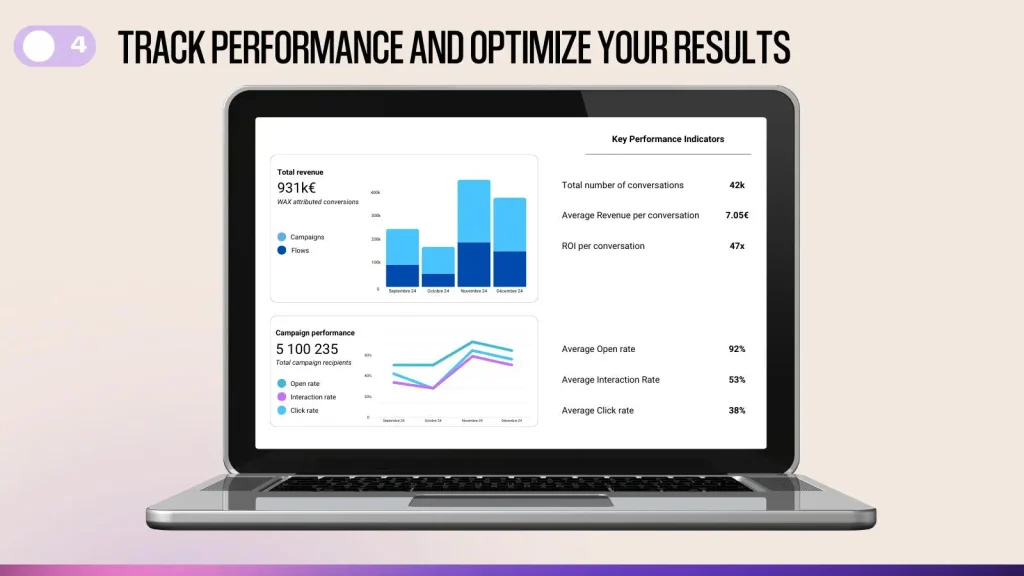
- Campaign analytics: Review available delivery, read, and click information to evaluate campaign performance.
- Chatbots and shared conversations: Help manage routine questions and customer interactions more efficiently.
Explore the WatConnect features to understand the available tools. For businesses planning automated communication across connected systems, the WhatsApp API integration page provides further information.
AI video creation and WhatsApp message distribution are separate steps unless a verified integration connects them. Businesses should confirm their specific requirements, supported media workflows, and technical setup before committing to a campaign.
Common Mistakes to Avoid
Even a well-designed video campaign can underperform when its execution is poor. Watch out for these mistakes:
- Overusing personalization: Adding unnecessary customer details can feel intrusive rather than helpful.
- Using generic scripts: A video should address a real customer need, not merely repeat a promotional message.
- Skipping quality checks: Incorrect names, broken variables, and inaccurate information can damage trust.
- Sending too many messages: Excessive follow-ups can frustrate recipients and increase opt-outs.
- Ignoring performance data: Without measurement, it becomes difficult to understand which campaign elements are useful.
- Assuming results are guaranteed: AI tools can reduce repetitive production work, but they cannot guarantee higher engagement, sales, or customer retention.
A careful approach helps businesses balance personalization, efficiency, and a respectful customer experience.
Frequently Asked Questions
What is personalized AI video marketing?
Personalized AI video marketing uses AI-powered tools and reusable templates to create video messages tailored to individual customers or audience groups. Depending on the tool, it can incorporate digital avatars, generated speech, and customer-specific information.
Can businesses use AI-generated videos in WhatsApp marketing?
Businesses can incorporate video into suitable WhatsApp communication workflows, subject to the platform’s current media requirements, messaging policies, and applicable consent rules. The video creation and messaging systems must support the intended workflow.
How can I create personalized videos at scale?
Define a campaign goal, prepare a reusable script and template, configure personalization fields, generate a small test batch, and validate the results. Once the workflow is reliable, use supported automation or API capabilities to handle larger volumes.
What makes a personalized video effective?
Relevance, a concise script, accurate personalization, clear visuals, and one useful call to action all contribute to a better customer experience. Results should be evaluated against the campaign’s specific objective.
How can WatConnect help with WhatsApp campaigns?
WatConnect offers WhatsApp messaging, automation, template management, API integration, and analytics features. Businesses can evaluate these tools for their customer communication workflows and confirm whether their particular video delivery requirements are supported.
Should every WhatsApp marketing message include a video?
No. Video is useful when a visual explanation, demonstration, or personal greeting adds value. Text is often more practical for short confirmations, simple updates, and routine notifications.
Conclusion
Personalized AI video marketing gives businesses another way to communicate with customers at scale. Reusable templates and customer-specific information can reduce repetitive production work while making certain messages more relevant and easier to understand.
The best results depend on choosing the right use case, writing concise scripts, checking personalization carefully, respecting customer preferences, and measuring campaign performance. Businesses should also verify the capabilities of their video creation and messaging systems before implementing an automated workflow.
WatConnect helps businesses organize WhatsApp marketing, automate customer communication, manage messaging workflows, and review campaign insights. If you want to improve how your business manages customer conversations and campaigns, visit the WatConnect website to learn more about its WhatsApp marketing and automation capabilities.
A thoughtful combination of useful content, responsible personalization, and well-managed messaging can help businesses create more meaningful customer interactions without making every communication unnecessarily complicated.