
How to send bulk WhatsApp messages is a common question for businesses that want to promote offers, share updates, remind customers about appointments, or reconnect with existing buyers without spending hours sending the same message one by one. The right method depends on your audience size, the type of message you want to send, and how much control you need over contacts, personalization, scheduling, automation, and campaign reporting.
For a small business, a WhatsApp Business broadcast may be enough for a limited customer list, but growing businesses usually need a more structured approach using the official WhatsApp Business Platform, approved templates, customer opt-ins, audience segmentation, and campaign tracking. Current search results around this topic also show that businesses are mainly looking for practical ways to send messages at scale while avoiding spam complaints, account restrictions, and the limitations of basic broadcast lists.
What Does Bulk WhatsApp Messaging Mean?
Bulk WhatsApp messaging means sending one campaign or message to multiple customers instead of manually starting individual conversations with every person.
Businesses commonly use it for:
- Promotional offers and seasonal sales
- New product announcements
- Appointment and event reminders
- Order and delivery updates
- Payment reminders
- Educational announcements
- Customer re-engagement campaigns
- Product recommendations and follow-ups
The important distinction is that effective bulk messaging is not simply about sending the largest possible number of messages. It is about sending relevant information to people who have agreed to hear from your business, using a method that supports WhatsApp’s business messaging requirements.
The SERP results for this topic consistently emphasize opt-in outreach, approved messaging methods, structured automation, and avoiding unofficial bulk sender tools.
3 Ways to Send Bulk WhatsApp Messages
There are three practical approaches, and each one fits a different business situation.
1. WhatsApp Broadcast Lists
WhatsApp Business broadcast lists are useful when you have a relatively small group of existing customers and want to send a simple update.
The main limitation is reach. According to the competitor material in the supplied SERP data, a broadcast list is limited to 256 contacts, and recipients generally need to have saved your business number for the broadcast to reach them.
This makes broadcast lists suitable for small customer groups, but inconvenient once your contact database starts growing.
2. WhatsApp Business App
The WhatsApp Business App is designed primarily for small businesses that manage customer conversations manually. It can work well when the number of customers is manageable and you do not need advanced campaign automation.
The problem appears when you need to import larger contact lists, create multiple audience segments, schedule campaigns, personalize messages at scale, or have several employees manage customer responses.
At that point, continuing with manual broadcasts can create unnecessary work.
3. WhatsApp Business Platform
For businesses that need to communicate with larger opted-in audiences, the official WhatsApp Business Platform is the more scalable option. WhatsApp itself positions the Business Platform for medium and larger businesses that need programmatic access to communicate with customers at scale.
With a business messaging platform connected to the official API, you can build a more organized campaign process around contact management, approved templates, scheduling, automation, analytics, and customer replies.
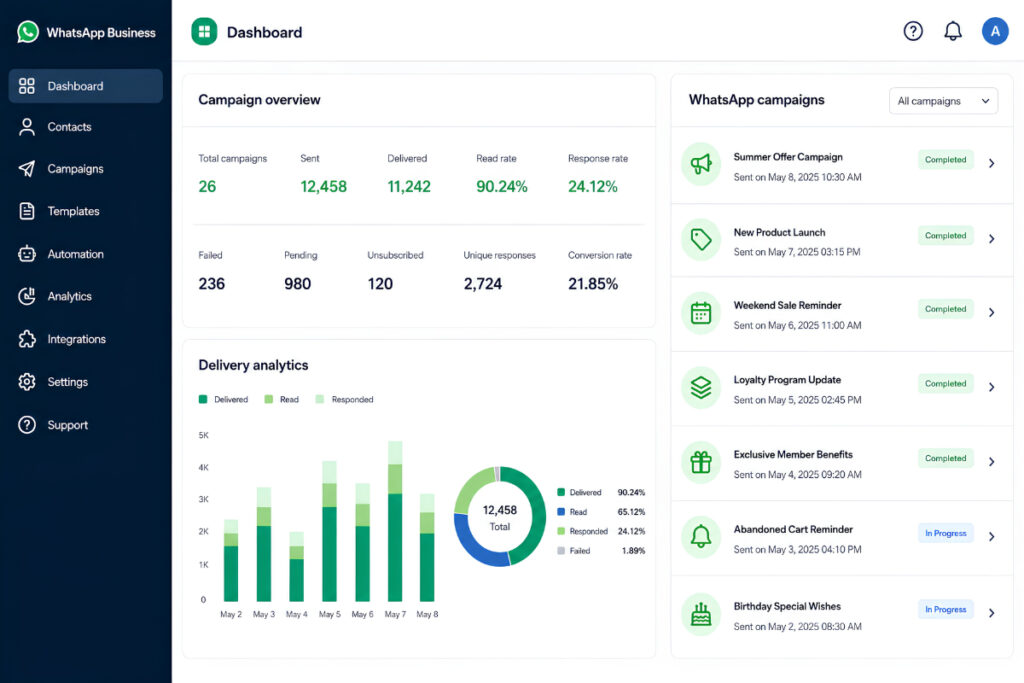
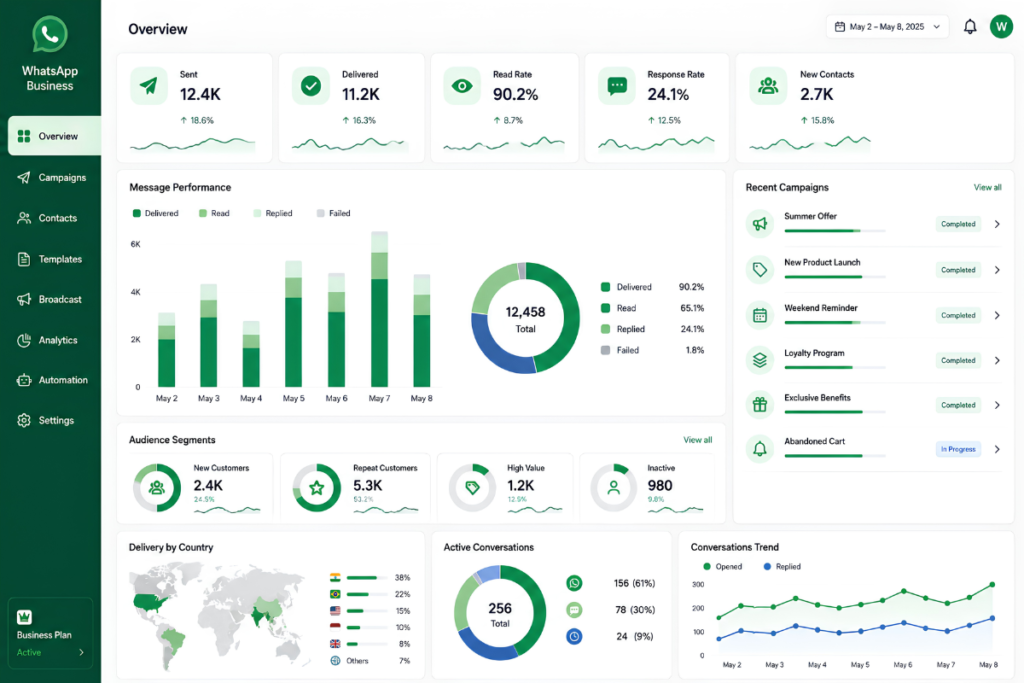
For example, WatConnect provides bulk messaging with pre-approved templates, scheduled campaigns, contact imports, and campaign analytics from one dashboard.
How to Send Bulk WhatsApp Messages Step by Step
If you are planning your first proper bulk campaign, use this workflow instead of simply uploading a large list and pressing send.
Step 1: Build an Opted-In Contact List
Start with people who have agreed to receive WhatsApp communication from your business.
You can collect permission through:
- Website forms
- Checkout pages
- QR codes
- Lead forms
- Existing customer interactions
- In-store registrations
- Appointment forms
Do not purchase random phone-number databases and assume that having someone’s number gives you permission to market to them.
The supplied competitor research also identifies customer opt-in as one of the key requirements for bulk WhatsApp messaging.
Step 2: Clean and Segment Your Contacts
Before creating a campaign, remove duplicate, invalid, and outdated contacts.
Then divide your audience according to useful customer information, such as:
- New customers
- Repeat customers
- Previous buyers
- Customers who have not purchased recently
- Customers interested in a specific product
- Customers from a particular location
- Leads at different stages of the sales process
Segmentation is one of the easiest ways to make a bulk campaign feel less like mass advertising.
For example, a clothing store should not send the same message to someone who purchased yesterday and someone who has not interacted with the business for a year.
Step 3: Create an Approved Message Template
For WhatsApp API-based marketing messages, businesses generally work with approved templates rather than writing an unrestricted promotional message each time.
Keep your template simple and useful.
For example:
Hi {{name}}, our weekend sale is now live. Get 15% off selected products until Sunday. Shop here: {{link}}
The message gives the customer a clear reason to act, personalizes the communication, and avoids unnecessary copy.
WatConnect’s template management system lets businesses create, manage, and monitor WhatsApp templates from a centralized dashboard, including approval status and version history.
Step 4: Test the Campaign Before Sending
Send the campaign to an internal test number before launching it to the complete audience.
Check:
- Customer name variables
- Links
- Buttons
- Product information
- Spelling
- Images
- Dates and times
- Opt-out instructions
A five-minute test can prevent a campaign-wide formatting mistake.
Step 5: Schedule or Send the Campaign
Choose your audience segment, select the approved template, add the required variables, and decide when the campaign should be delivered.
Scheduling is especially useful when customers are spread across different locations or when your team wants campaigns to go out at planned times.
WatConnect supports both immediate and scheduled bulk campaigns, allowing businesses to manage WhatsApp outreach from a central platform.
Step 6: Monitor What Happens After Sending
Sending the campaign is not the end of the process.
Look at:
- Delivery rate
- Read activity
- Link clicks
- Replies
- Conversions
- Opt-outs
- Negative feedback
If one audience segment performs better than another, use that information for your next campaign rather than sending the same message to everyone again.
WatConnect’s analytics capabilities include delivery, read, click, and campaign performance tracking, giving teams data they can use to improve future campaigns.
How to Send Bulk WhatsApp Messages Without Getting Blocked
The biggest mistake businesses make is treating bulk WhatsApp messaging like traditional email blasting.
WhatsApp is designed around conversations, so relevance and customer permission matter.
Get Permission Before Sending Marketing Messages
Only message people who have agreed to receive communication from your business.
A customer who gave you their number for delivery does not automatically mean they want every promotional offer you send.
Keep the purpose of the opt-in clear. Tell customers what type of messages they can expect and make it easy to stop receiving them.
Avoid Unofficial Bulk Sender Tools
Tools that promise unlimited WhatsApp messages through unofficial methods can put your business number at risk.
The supplied SERP research specifically highlights unofficial bulk messaging tools as a potential cause of account restrictions and recommends using the official WhatsApp Business API for scalable messaging.
If your WhatsApp number is connected to sales and customer support, protecting that number is more important than finding a shortcut.
Do Not Send the Same Promotion to Everyone
A generic message sent to an entire database often produces poor engagement.
Instead, use customer information to make the message relevant.
For example:
New customer:
“Thanks for joining us. Here’s 10% off your first order.”
Repeat customer:
“Because you shop with us regularly, you can access our new collection before everyone else.”
Inactive customer:
“We haven’t seen you in a while. Here’s a special offer to welcome you back.”
The message is still part of a bulk campaign, but the customer experience is much closer to a personal conversation.
Give Customers a Way to Opt Out
If someone no longer wants promotional messages, make it easy for them to stop receiving them.
A simple instruction such as “Reply STOP to unsubscribe” can be enough for many campaigns, provided your business handles those requests appropriately.
The goal is not to maximize the number of messages you send. The goal is to maintain a healthy audience that actually wants to hear from you.
Bulk WhatsApp Messaging vs One-to-One Messaging
Bulk campaigns are useful for reaching many customers, but they should not replace individual conversations.
A good WhatsApp strategy usually combines both.
Use bulk messaging for:
- Announcements
- Offers
- Reminders
- Product launches
- Re-engagement
- Educational updates
Use one-to-one conversations for:
- Product questions
- Sales qualification
- Complaints
- Support requests
- Order-specific problems
- Negotiations
This is where automation becomes particularly useful. After a customer responds to a campaign, automated replies or chatbots can handle common questions and route more complex conversations to a human agent.
WatConnect combines bulk campaigns with automated conversations, AI-powered WhatsApp chatbots, and centralized customer communication, so the campaign does not end when a customer replies.
Bulk WhatsApp Message Examples by Business Type
E-commerce
Send new-arrival announcements, sale campaigns, restock alerts, abandoned-cart reminders, and product recommendations.
A campaign can become more useful when the customer receives a relevant product link instead of a generic “Shop now” message.
Healthcare
Clinics can use WhatsApp for appointment reminders, confirmations, follow-ups, and approved informational communication.
The message should remain clear and focused on the customer’s appointment or requested information.
Education
Schools, coaching institutes, and online education businesses can send class reminders, event announcements, admission updates, and course information to opted-in contacts.
Real Estate
Real estate teams can use segmented broadcasts for new property listings, site-visit reminders, price updates, and follow-ups with interested leads.
How to Send Bulk WhatsApp Messages From Excel
Many businesses already keep customer information in Excel or CSV files, so moving that data into a WhatsApp campaign platform is a practical workflow.
Start by organizing columns such as:
- Name
- Phone number
- Customer type
- Location
- Product interest
- Last purchase
- Lead status
Export the spreadsheet as CSV, import it into your messaging platform, map the fields correctly, and create audience segments from the available data.
The competitor research also identifies CSV import as a common method for moving an Excel contact list into a bulk WhatsApp messaging workflow.
Before importing, clean the spreadsheet and make sure you have a legitimate basis for messaging every contact in it.
What Makes a Bulk WhatsApp Campaign Work Better?
A strong campaign usually has five simple characteristics:
- The audience is relevant.
You are messaging people who have a reason to care. - The message is useful.
The customer understands why they received it. - The timing makes sense.
You are not sending promotions at inconvenient hours. - The message is personalized.
Customer details or interests are used where appropriate. - The next step is clear.
The customer knows exactly what to do next.
The best bulk campaigns do not feel like thousands of identical messages. They feel like well-organized conversations delivered to the right people.
FAQs About Sending Bulk WhatsApp Messages
How many WhatsApp messages can I send at once?
There is no single universal number that applies to every WhatsApp business account. Limits depend on the messaging setup and account limits. Basic broadcast lists have much smaller practical limits, while WhatsApp Business Platform messaging is designed for larger-scale communication.
Can I send bulk WhatsApp messages without saving contacts?
With an API-based business messaging setup, customers do not need to be manually saved in your phone contacts. However, you still need to follow WhatsApp’s messaging requirements and obtain the appropriate customer consent before sending marketing communication.
Is bulk WhatsApp messaging allowed?
Yes, businesses can use WhatsApp for bulk communication, but they need to follow applicable WhatsApp Business requirements, use appropriate messaging methods, and respect customer consent and preferences.
Can I send bulk WhatsApp messages from Excel?
Yes. A common workflow is to clean your Excel data, export it as CSV, import the contacts into a business messaging platform, segment the audience, and then create the campaign.
How can I reduce the risk of my messages being marked as spam?
Start with opted-in contacts, send relevant messages, avoid excessive promotional frequency, personalize campaigns, provide an opt-out route, and avoid unofficial sending tools. These practices are repeatedly highlighted in the current search results for bulk WhatsApp messaging.
Send Bulk WhatsApp Messages With a Better Workflow
Bulk WhatsApp messaging works best when it is treated as part of a complete customer communication process rather than a simple mass-sending activity. Start with a clean and permission-based contact list, segment your audience, use appropriate templates, test before sending, monitor campaign results, and make sure your team is ready to handle the replies that come back.
For businesses that want to move beyond basic broadcast lists, WatConnect brings bulk messaging, scheduled campaigns, templates, analytics, automated replies, chatbots, product catalogs, and WhatsApp API integration into one platform. Its API can also connect customer data with CRM, e-commerce, and other business systems to trigger personalized WhatsApp communication automatically.
If you are ready to build a more organized WhatsApp marketing workflow, you can explore WatConnect’s WhatsApp engagement platform and start with the features that match your current business needs.