
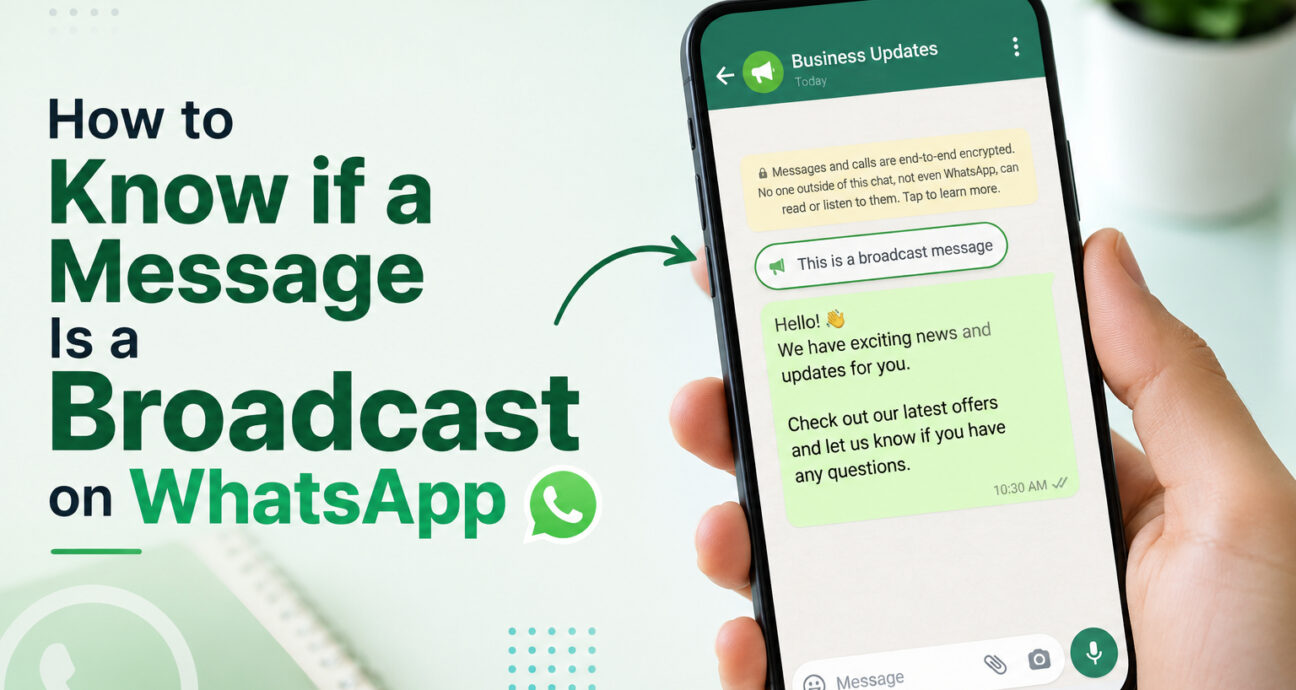
How to know if a message is broadcast on WhatsApp can be difficult because a broadcast is designed to appear like a normal private conversation. Unlike a WhatsApp group, you cannot normally see the other people who received the same message, so there is no simple recipient-side view that always confirms whether a sender used a broadcast list.
The good news is that several clues can help you make an informed judgment. The wording of the message, whether other people received the same content, how personal the conversation is, and the type of information being shared can all provide useful signals. However, it is important to separate these clues from features that actually prove a message was sent through WhatsApp’s broadcast function.
How to Know if a Message Is Broadcast on WhatsApp
The first thing to understand is that there is usually no guaranteed way for a recipient to confirm that a particular WhatsApp message was sent as a broadcast simply by looking at the chat.
A WhatsApp broadcast is intended to reach multiple recipients individually. The sender can communicate with several people without putting them into one shared conversation.
That means you should look at several clues together rather than relying on one supposed icon, label, or message format.
1. The Message Sounds Generic
A generic message is one of the easiest clues to notice.
For example:
“Hello! Our weekend sale is now live. Get 30% off selected products. Shop today.”
This could have been written for hundreds of customers.
Compare that with:
“Hi Rahul, your order is ready for pickup. You can collect it after 4 PM today.”
The second message contains information specific to one customer, so it is more likely to be a personal or automated one-to-one message.
However, generic wording does not prove that a broadcast was used. Someone could simply copy and paste the same message manually.
2. Someone Else Received the Same Message
This is one of the stronger clues.
Suppose you receive:
“Our new collection is now available. Visit our store this weekend for special offers.”
Later, a friend tells you they received exactly the same message from the same business.
That suggests the business was communicating with multiple people at once, and a broadcast is one possible explanation.
Still, the sender could have copied and pasted the message individually, so this remains an indication rather than definitive proof.
3. The Message Has Little Personal Context
Look at what came before the message.
If you have been having a personal conversation with someone and suddenly receive:
“Dear Customer, our latest offers are now available. Contact us for more information.”
the message may have been intended for a wider audience.
On the other hand:
“Hey, are you still coming to the meeting at 3 PM?”
is clearly more specific to an individual conversation.
The context of the conversation can therefore help you judge whether a message was probably written for you or for a larger audience.
4. The Content Is Promotional or Informational
Broadcasts are commonly suited to information that applies to many people.
Examples include:
- Sales and discounts
- New product announcements
- Event invitations
- Appointment reminders
- Service updates
- Business announcements
- Holiday greetings
- Customer re-engagement campaigns
A sudden promotional message from a business you have previously interacted with may therefore look like a broadcast.
But content alone cannot confirm the sending method.
Is There a Broadcast Label on WhatsApp?
This is where you should be careful with information found online.
Some articles claim that recipients can identify a broadcast by looking for a “Broadcast Message” label, megaphone icon, or similar indicator. These claims should not be treated as a universal rule.
The more reliable point is that WhatsApp broadcasts are designed to be delivered as individual conversations. As a recipient, you generally do not get a transparent list showing everyone who received the message.
So if you are asking how to know if a message is broadcast on WhatsApp, the safest answer is:
You usually cannot confirm it with 100% certainty from the recipient’s chat alone.
You can identify clues, but clues are not the same as confirmation.
Can You See Who Else Received a WhatsApp Broadcast?
No. A broadcast does not work like a WhatsApp group.
When someone sends a broadcast, recipients do not enter one shared conversation. You cannot open the message and see a list of all the other people who received it.
This is one reason businesses use broadcasts for customer communication. A store can send the same promotion to many customers while keeping each customer’s conversation private.
If another customer tells you that they received the same message, you may be able to infer that the sender was communicating with multiple people, but WhatsApp does not give you a recipient list for the broadcast.
Does Replying to a Broadcast Message Notify Everyone?
No.
If you reply to a broadcast message, your response goes directly back to the sender. Other people who received the broadcast do not see your reply.
For example, a business sends the same appointment announcement to 100 customers. If you reply:
“Can I change my appointment to Friday?”
that conversation remains between you and the business.
This makes broadcasts very different from group chats, where messages and replies are visible to other members.
WhatsApp Broadcast vs Personal Message
The following comparison can help you understand the difference:
| Feature | Personal Message | Possible Broadcast |
|---|---|---|
| Personal context | Usually specific to you | Often general |
| Customer name | May be used | May or may not be used |
| Promotional content | Possible | Very common |
| Same message received by others | Possible | Strong clue |
| Other recipients visible | No | No |
| Reply goes to sender | Yes | Yes |
| Can you confirm the sending method? | Not applicable | Usually not from the chat alone |
The important detail is that a broadcast can look exactly like a normal one-to-one message from the recipient’s perspective.
That is why the wording and context can provide clues, but they cannot always provide certainty.
Why Do Businesses Use WhatsApp Broadcasts?
For businesses, broadcasts solve a simple problem: reaching multiple customers without creating a group conversation.
Promotions
A clothing store can notify customers about a weekend sale or new collection.
Product Announcements
An e-commerce business can tell previous customers about a newly launched product.
Appointment Reminders
A clinic, salon, consultant, or service provider can remind customers about upcoming appointments.
Event Updates
Businesses can communicate event timings, venue changes, registration reminders, and other important information.
Customer Re-Engagement
A business can reconnect with customers who have not purchased or interacted with the brand for some time.
If you are learning how businesses use WhatsApp as a broader customer communication channel, you can also read this guide on what WhatsApp marketing means for businesses.
How Are WhatsApp Broadcasts Different From WhatsApp Groups?
The biggest difference is how recipients interact with one another.
A WhatsApp group creates a shared conversation. Members can see other participants and their messages.
A WhatsApp broadcast sends the communication individually. Recipients do not see the other people who received it, and their replies go privately to the sender.
For a business, this makes broadcasts more appropriate for announcements and customer communication when there is no reason for customers to interact with each other.
Groups are more suitable for communities, teams, classes, or situations where participants need to communicate together.
Can Businesses Send Broadcast Messages to Thousands of Customers?
This depends on the WhatsApp setup being used.
The standard WhatsApp broadcast feature has limitations, including requirements around contacts receiving the broadcast. For larger business communication, companies can use the official WhatsApp Business Platform and business messaging solutions designed for larger-scale communication.
This is an important distinction for growing businesses. A basic broadcast list may work for a small customer database, but it becomes less practical when you need segmentation, scheduling, templates, campaign reporting, automated replies, or multiple team members handling responses.
For businesses already looking at larger campaigns, our guide on how to send bulk WhatsApp messages explains the broader process, including audience segmentation, templates, testing, and campaign monitoring.
How Businesses Can Make Broadcast Messages More Personal
A broadcast does not have to feel like a generic mass message.
Businesses can use customer information and audience segments to make each campaign more relevant.
For example, instead of sending:
“Check out our latest products.”
a business could send:
“Hi {{name}}, new running shoes are now available in the collection you viewed recently.”
The second message gives the customer a reason to pay attention because the communication relates to their interests.
Good segmentation can separate:
- New leads
- Existing customers
- Repeat buyers
- Inactive customers
- Customers interested in a specific product
- Customers from different locations
- Leads at different sales stages
This approach is more useful than sending every campaign to an entire contact database.
Can WhatsApp Broadcasts Be Automated?
Basic WhatsApp broadcasts can be managed manually, but businesses with larger communication needs can combine WhatsApp messaging with automation.
For example:
Customer places an order:
An order confirmation is sent automatically.
Order is dispatched:
The customer receives a shipping update.
Order is delivered:
A follow-up message asks for feedback.
Customer replies:
An automated workflow can answer common questions or route the conversation to a support agent.
This turns WhatsApp from a simple broadcast channel into part of a broader customer communication workflow.
WatConnect supports WhatsApp bulk messaging, automation, chatbots, templates, analytics, product catalogs, and API-based communication, allowing businesses to manage more of the customer journey from one platform.
What Should You Do if You Receive an Unwanted Broadcast?
Not every broadcast is spam, but unwanted promotional messages can become annoying.
If you do not want to receive communication from a business, you can:
- Ask the sender to stop sending promotional messages.
- Use WhatsApp’s blocking option when appropriate.
- Report the account if the communication is abusive or clearly unwanted.
- Avoid clicking suspicious links or sharing sensitive information.
For businesses, the lesson is equally important. Build your audience responsibly, communicate with people who expect your messages, and make it easy for customers to stop receiving marketing communication.
How Accurate Are These Signs?
The signs discussed above are useful, but they are not foolproof.
A business can manually copy and paste the same message to hundreds of customers. It can also personalize a broadcast using customer names or other information.
That means you should not conclude that a message is definitely a broadcast just because:
- It sounds generic.
- It contains a promotion.
- Someone else received the same text.
- It was sent after a long period of no communication.
The strongest practical approach is to combine several clues and recognize that the recipient normally cannot see the sender’s exact delivery method.
FAQs About WhatsApp Broadcast Messages
How to know if a message is broadcast on WhatsApp?
How to know if a message is broadcast on WhatsApp depends on clues rather than one guaranteed indicator. Look for generic wording, promotional or informational content, a lack of personal context, and the possibility that other people received the same message. Even then, you usually cannot confirm the sending method with complete certainty from the recipient’s chat.
Can I see who received the same WhatsApp broadcast?
No. Broadcast recipients do not normally see the other people who received the message. Each recipient gets the communication in their own conversation with the sender.
Can the sender see my reply to a broadcast?
Yes. Your reply goes directly to the sender as a private conversation. Other recipients of the broadcast do not see your response.
Is a WhatsApp broadcast the same as a WhatsApp group?
No. A group is a shared conversation where members can see and participate in messages. A broadcast sends the communication individually to multiple recipients, so recipients do not interact with one another through the broadcast.
Can a business use WhatsApp broadcasts for marketing?
Yes. Businesses can use WhatsApp messaging for promotions, product announcements, reminders, updates, and customer communication, provided they follow the applicable WhatsApp business messaging requirements and respect customer preferences.
Can a broadcast message be personalized?
Yes, depending on the messaging setup. Business messaging platforms can use customer information such as names, product interests, order details, or other variables to make campaign messages more relevant.
How is a broadcast different from bulk WhatsApp messaging?
Broadcast describes the communication approach of sending one message to multiple recipients individually. Bulk messaging generally refers to sending messages at larger volumes. The two terms can overlap, particularly in business WhatsApp marketing.
What should a business do after someone replies to a broadcast?
The reply should be treated as the start of an individual conversation. Automated replies or chatbots can handle simple questions, while sales or support teams can take over when the customer needs personalized assistance.
Final Thoughts
If you are trying to understand how to know if a message is broadcast on WhatsApp, do not rely on one supposed icon or label. Because broadcast messages are designed to appear as private conversations, recipients generally cannot verify the sending method simply by opening the message.
Instead, look at the overall context. A generic promotional message, identical wording received by other people, and a lack of personal conversation can suggest a broadcast, but none of these signs alone proves it.
For businesses, the more important lesson is how to use broadcast communication effectively. Relevant audiences, useful messages, personalization, automation, and timely follow-ups can make WhatsApp a much stronger customer communication channel.
WatConnect helps businesses go beyond basic broadcasting with bulk WhatsApp messaging, templates, automation, chatbots, analytics, product catalogs, and WhatsApp API capabilities. You can explore WatConnect’s WhatsApp engagement platform and see how it can fit into your customer communication workflow.