
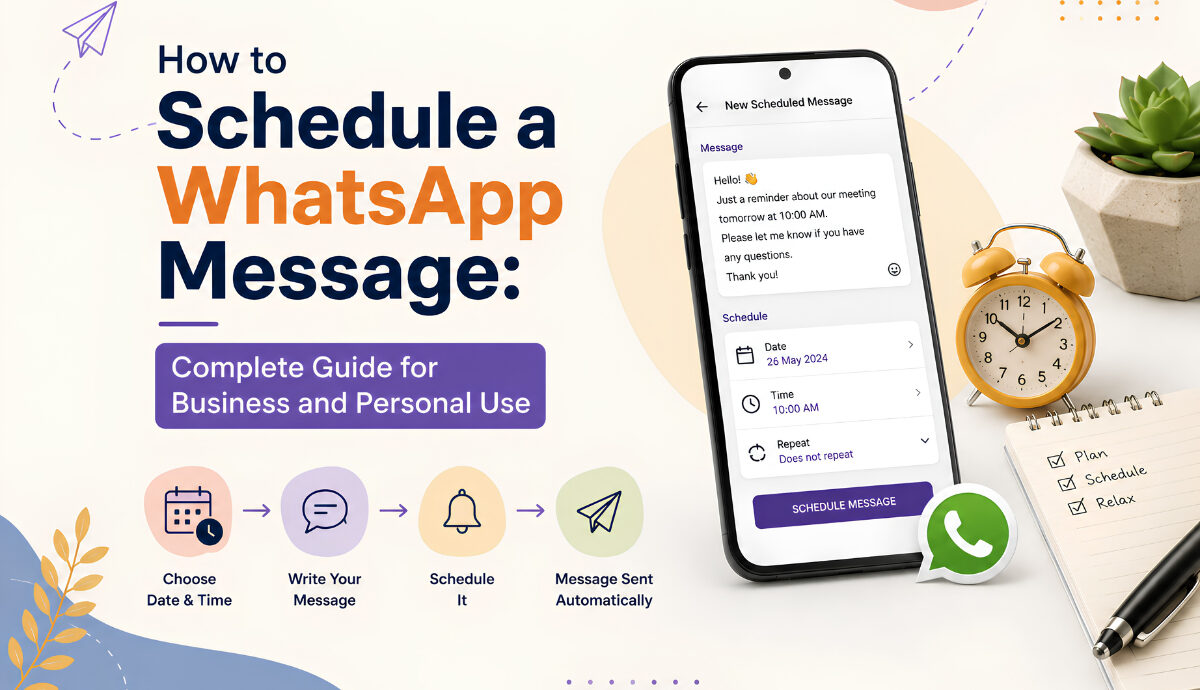
How to schedule a WhatsApp message depends on what you are trying to send, which device you use, and whether the message is personal or part of a business communication workflow. For a simple reminder to a friend, you may need a device automation or another supported method, while businesses have more structured options for scheduled customer messages and campaigns.
Scheduling is useful when you already know what needs to be sent but do not want to remember the exact time yourself. A birthday message can go out at midnight, an appointment reminder can be sent during business hours, and a promotional campaign can reach customers at a planned time without someone sitting in front of WhatsApp waiting to press Send. For businesses, scheduling becomes even more useful when combined with customer segmentation, templates, automation, and follow-ups.
Does WhatsApp Have a Schedule Message Feature?
This is the first question to answer because the situation has changed over time.
For personal WhatsApp chats, you should not assume that every account or device has a universal built-in Schedule Message button. Availability of WhatsApp features can vary by account, platform, and rollout.
For businesses, the situation is more advanced. Meta announced a customized messaging feature for eligible small businesses in India that allows businesses to send personalized messages, such as appointment reminders, birthday greetings, and holiday sale updates, while also scheduling the day and time those messages are sent.
So, before installing a third-party scheduling application, check the features available in your current WhatsApp or WhatsApp Business setup.
How to Schedule a WhatsApp Message
The best method depends on your situation.
Method 1: Use WhatsApp Business Scheduling Features
If you run a business, start by checking the scheduling and customized messaging options available in your WhatsApp Business account.
Meta has introduced customized messages for eligible small businesses in India, including the ability to schedule when those messages are sent. The feature is designed for practical business use cases such as appointment reminders, birthday messages, and promotional updates.
The exact options available to your account may depend on eligibility and rollout.
A typical business workflow looks like this:
- Open your WhatsApp Business tools or messaging features.
- Select the type of customer communication you want to send.
- Choose the customers or audience.
- Write or customize the message.
- Select the date and time.
- Review the recipients and message.
- Schedule the communication.
This is a much better approach for businesses than relying on a phone-based automation trick, especially when messages need to reach many customers.
Method 2: Use iPhone Shortcuts for Personal Messages
If you want to schedule a personal WhatsApp message on an iPhone and your WhatsApp version does not offer native scheduling for the message you need, Apple’s Shortcuts app can be used for automation.
A common setup involves creating a personal automation based on a specific time.
The general process is:
- Open the Shortcuts app.
- Go to Automation.
- Create a new personal automation.
- Select Time of Day.
- Choose the date or time for the automation.
- Add the required messaging action.
- Select the recipient.
- Write your message.
- Review the automation settings.
- Save the automation.
The exact steps and available WhatsApp actions can change with iOS and WhatsApp updates, so check what your current device shows before relying on an automation for an important message.
Method 3: Use Android Automation Apps Carefully
Android gives third-party automation tools more flexibility than iOS, which is why several apps are available for scheduled messaging.
These tools may ask for permissions such as Accessibility access or notification access so they can interact with WhatsApp.
Before using one, check:
- The developer and app reputation
- Recent user reviews
- Required permissions
- Privacy policy
- Whether your phone must remain unlocked
- Whether battery optimization can interrupt the automation
- Whether the app continues working after WhatsApp updates
Do not give a scheduling app more permissions than it actually needs.
A scheduling tool that requires deep device access should be treated as a privacy decision, not simply as a convenient WhatsApp feature.
How to Schedule WhatsApp Messages for Business
For a business, the question is slightly different.
Instead of asking only how to schedule a WhatsApp message, you should ask:
What should happen before and after the scheduled message is sent?
For example, imagine an online store wants to promote a weekend sale.
A basic approach is:
Friday: Schedule the promotional message.
Saturday: Customer clicks the product link.
Saturday: Customer asks a question.
Saturday: Sales team responds.
A better WhatsApp workflow can automate parts of this journey.
For example:
- Segment customers based on their interests.
- Create an appropriate message.
- Schedule the campaign.
- Send the message at the selected time.
- Track customer responses.
- Route interested customers to sales.
- Follow up with customers who need more information.
This is where WhatsApp scheduling becomes part of a larger marketing and sales process.
If you are planning larger campaigns, our guide on how to send bulk WhatsApp messages covers the broader process of reaching larger audiences while organizing your messaging more effectively.
Scheduled Messages vs Automated Messages
These terms are often confused, but they solve different problems.
Scheduled Message
A scheduled message is based on time.
For example:
Send this message tomorrow at 10:00 AM.
Automated Message
An automated message is based on a trigger or condition.
For example:
When a customer places an order, send an order confirmation.
Another example:
When a customer asks about delivery, provide the available delivery information automatically.
A business may use both.
For example, a restaurant could schedule a lunch promotion for 11:00 AM and separately automate responses to customers who ask about today’s menu.
This combination is much more useful than scheduling every message manually.
Not every message needs scheduling. The best candidates are messages where timing is predictable and useful.
Appointment Reminders
Clinics, salons, consultants, and service providers can schedule reminders before an appointment.
Event Reminders
Businesses can send reminders before webinars, workshops, classes, launches, or events.
Promotional Campaigns
A campaign can be prepared in advance and scheduled around the time customers are most likely to engage.
Payment Reminders
Businesses can schedule appropriate reminders for upcoming or overdue payments.
Follow-Up Messages
A sales team can schedule a follow-up after a customer shows interest.
For example:
“Hi Priya, just checking in about the product we discussed yesterday. Would you like help choosing the right option?”
Birthday and Anniversary Messages
Personalized messages can be scheduled around customer dates, provided the business has the appropriate information and permission to use it.
How to Schedule WhatsApp Messages Without Annoying Customers
Scheduling makes sending easier, but that does not mean you should send more messages.
Meta specifically advises businesses to send messages customers want, obtain permission for the relevant types of communication, think carefully about timing, and use performance information to avoid overwhelming customers.
A good scheduling strategy should therefore consider:
Send at a Useful Time
A message sent at 2 AM may be technically successful but still create a poor customer experience.
Segment Your Audience
Do not send a product announcement to customers who have no interest in that product.
Keep the Message Relevant
The customer should understand why they received the message.
Avoid Repetition
Sending the same promotion repeatedly can quickly make customers ignore future messages.
Give Customers a Clear Next Step
If you want customers to purchase, book, reply, or visit a website, make the action obvious.
How WatConnect Can Help With Scheduled WhatsApp Campaigns
For businesses that have moved beyond occasional manual messages, scheduling works best when it is connected to the rest of the customer journey.
WatConnect brings WhatsApp engagement tools together so businesses can manage bulk messaging, automation, chatbots, customer support, product catalogs, and WhatsApp API communication from one platform.
Instead of simply preparing a message and choosing a time, a business can build a more complete workflow:
Audience → Message → Schedule → Delivery → Customer Reply → Automation → Sales or Support
For example, a clothing store could schedule a new collection announcement for existing customers, direct interested customers to its WhatsApp product catalog, and use automated responses to handle common questions.
Businesses looking at the wider strategy can also read how to use WhatsApp for business growth for practical ideas around customer communication, sales, and retention.
How to Choose the Right Scheduling Method
Use this simple comparison:
| Method | Best For | Main Advantage | Main Limitation |
|---|---|---|---|
| WhatsApp Business features | Small businesses | Designed for business communication | Availability varies |
| iPhone Shortcuts | Personal messages | No extra scheduling platform required | Automation can be limited |
| Android scheduling apps | Personal automation | More flexibility | Privacy and permission concerns |
| Business messaging platform | Growing businesses | Scheduling plus automation and campaigns | Usually requires a business setup |
| WhatsApp API solution | Larger business workflows | Scalable messaging and integrations | More structured setup |
The right choice depends on how many messages you send and how much control you need.
If you send one birthday message, a simple automation may be enough.
If you manage hundreds or thousands of customers, a business messaging platform makes much more sense because scheduling is only one part of what you need.
Common Problems With Scheduled WhatsApp Messages
The Message Does Not Send
For device-based automation, check whether the phone was locked, the automation was enabled, and the required permissions were still active.
Battery Optimization Stops the App
Android phones may restrict background activity to save battery. Check the battery settings for any scheduling application you use.
WhatsApp Updates Change the Workflow
Third-party automations can stop working after operating system or WhatsApp updates. Always test an important scheduled message before depending on it.
The Message Sends at the Wrong Time
Check your device’s date, time, and time-zone settings. This is particularly important when scheduling communication for customers in different regions.
The Customer Receives Too Many Messages
This is usually a strategy problem rather than a scheduling problem. Review your audience segments, message frequency, and campaign calendar.
Best Practices for WhatsApp Message Scheduling
Before scheduling a message, use this quick checklist:
- Confirm the recipient.
- Check the date and time.
- Review the message carefully.
- Test important links.
- Check attachments before scheduling.
- Consider the recipient’s time zone.
- Avoid sending too frequently.
- Use personalization when appropriate.
- Make the CTA clear.
- Review campaign performance afterward.
For business messaging, it is also worth planning your content around customer needs rather than simply filling a calendar with scheduled campaigns.
FAQs About Scheduling WhatsApp Messages
Can you schedule WhatsApp messages?
Yes, but the available method depends on your WhatsApp account, device, and use case. Personal users may rely on device automation where appropriate, while eligible businesses can have access to WhatsApp Business scheduling capabilities. Meta has announced scheduled customized messages for eligible small businesses in India.
How to schedule a WhatsApp message on iPhone?
If native scheduling is not available for your particular WhatsApp setup, you can use Apple’s Shortcuts automation to trigger a messaging action at a selected time. The available actions can vary with your current iOS and WhatsApp versions.
How to schedule a WhatsApp message on Android?
Android users can use supported third-party automation or scheduling applications, but these may require permissions such as Accessibility access. Check the app’s privacy practices carefully before granting access.
Can I schedule WhatsApp messages for customers?
Yes. Businesses can use appropriate WhatsApp Business features and business messaging platforms for scheduled customer communication. Meta has introduced customized scheduled messaging capabilities for eligible small businesses in India.
Can I schedule WhatsApp messages for multiple customers?
For larger customer campaigns, a business messaging platform is generally more practical than trying to schedule individual messages from a phone. It can provide audience management, personalization, scheduling, automation, and campaign reporting in one workflow.
Can WhatsApp Business send automatic messages?
Yes. WhatsApp Business provides business communication and automation features, and Meta has continued expanding business messaging capabilities. In 2026, Meta also introduced Business AI for eligible small businesses in India to help answer customer questions, capture leads, book appointments, and support sales.
Is scheduling better than sending messages manually?
For recurring or time-sensitive communication, scheduling can save considerable time and reduce the chance of forgetting a message. For personal conversations that require immediate context, manual sending is often more appropriate.
Is it safe to use third-party WhatsApp scheduling apps?
It depends on the application and the permissions it requests. Apps that require Accessibility or other deep device permissions can introduce privacy and security considerations. Use reputable tools, review permissions carefully, and avoid giving access to apps you do not trust.
Final Thoughts
How to schedule a WhatsApp message is no longer a question with one universal answer. The right approach depends on whether you are sending a personal reminder, using WhatsApp Business, or managing scheduled communication for a growing customer base.
For personal users, device automation can be useful when native scheduling is not available for the required message. For businesses, scheduled messaging becomes much more valuable when it is connected with segmentation, automation, customer support, sales follow-ups, and campaign analytics.
WatConnect is designed for businesses that need more than a simple reminder. With WhatsApp bulk messaging, automation, chatbots, product catalogs, customer engagement tools, and official WhatsApp API capabilities, it can help turn scheduled messages into a broader customer communication workflow. You can explore WatConnect and see how it fits your business messaging needs.